Users, Groups, and Identity in Entra ID
Summary
This note explains the role of users, groups, and identity in Entra ID. The goal is to understand how access begins with identity objects and why many support issues are really identity or group membership issues.
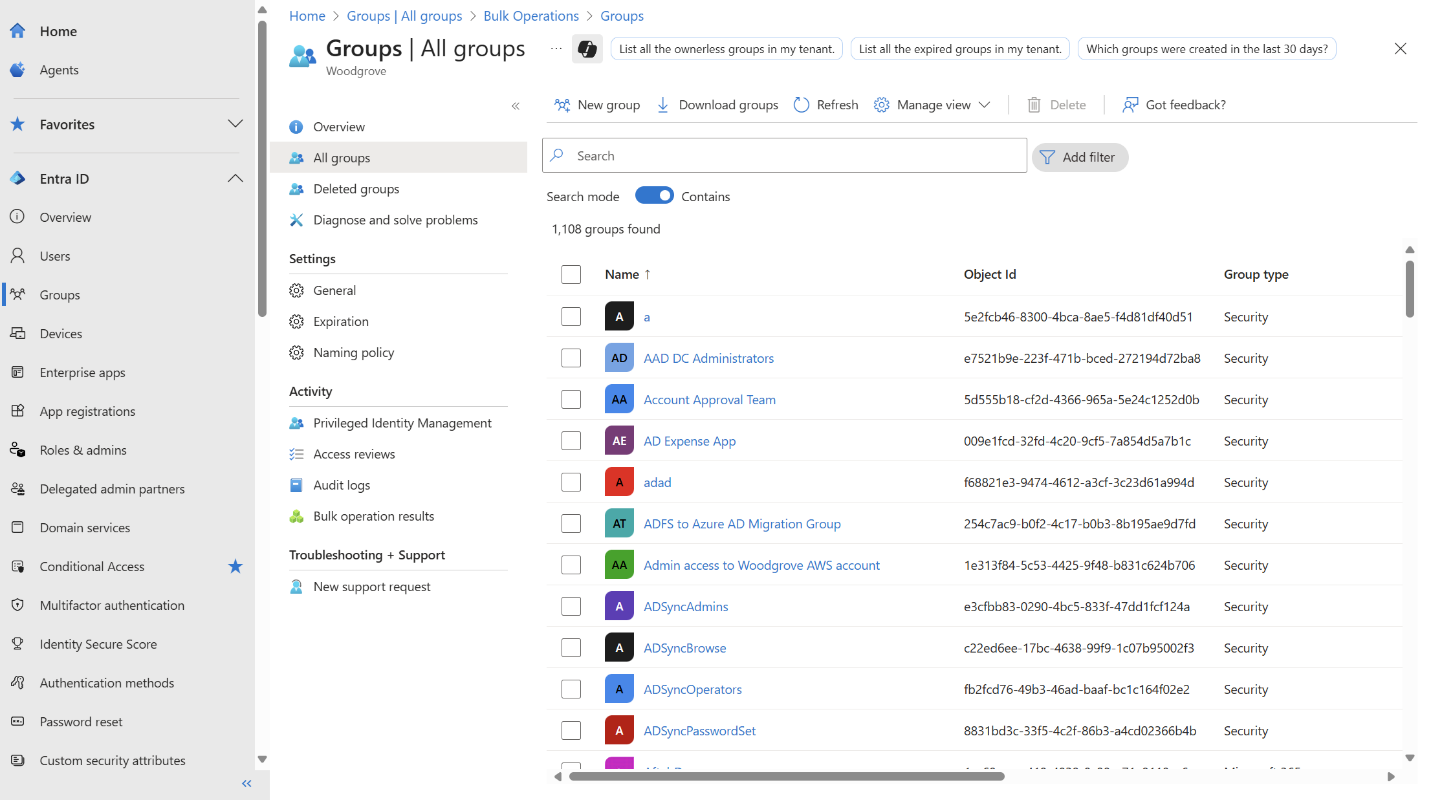
Official Microsoft admin view showing the kind of users and groups management screen this note is about.
Why this matters
- identity sits near the centre of Microsoft admin work
- access, sign-in, licensing, and some application behaviour depend on correct user and group setup
- many support tasks become simpler once you ask whether the identity state is correct first
Environment / Scope
| Item | Value |
|---|---|
| Topic | Entra ID identity basics |
| Best use for this note | understanding identity-driven support/admin work |
| Main focus | users, groups, membership, access context |
| Safe to practise? | yes |
Key concepts
- User - the identity object for a person or account
- Group - a collection of identities used to organise and assign access
- Membership - which users belong to which groups
- Identity state - whether the object exists, is enabled, and is configured correctly
Mental model
Think about identity flow like this:
user account -> group membership -> access and policy effectThis means a support issue may not be an app problem at all if the identity object or group membership is wrong.
Everyday examples
| Situation | Why identity matters |
|---|---|
| user cannot access an app | group or assignment may be missing |
| new starter needs access | account, group membership, and license state matter |
| disabled account cannot sign in | identity state changed |
| multiple users lose the same access | shared group or assignment issue may exist |
Common misunderstandings
| Misunderstanding | Better explanation |
|---|---|
| ”If the user exists, access should work” | membership, licensing, and policy still matter |
| ”Groups are only for organisation” | they often drive access and admin workflow |
| ”App issue means app troubleshooting first” | identity and membership often need checking first |
| ”One broken user means one broken app” | the root cause may be central identity configuration |
Verification
| Check | Expected result |
|---|---|
| User exists | account is present and enabled |
| Membership is correct | user belongs to expected groups |
| Access context is sensible | identity state matches the intended role |
| Pattern is understood | issue is isolated or group-based |
Pitfalls / Troubleshooting
| Problem | Likely cause | What to check |
|---|---|---|
| User missing access | wrong group or assignment | membership and role context |
| User cannot sign in | disabled or misconfigured identity | account status |
| Several users affected together | shared identity dependency | group membership or tenant-wide policy |
| Support keeps chasing app settings | weak identity-first thinking | user and group state first |
Key takeaways
- many Microsoft support tasks are identity tasks in disguise
- groups often drive access and administration more than people expect
- checking user and group state early saves time later