Proxmox, VMs, and LXCs
Summary
This note explains the role of Proxmox, virtual machines, and Linux containers in the homelab. The goal is to understand why different workload types belong in different places instead of treating every service the same way.
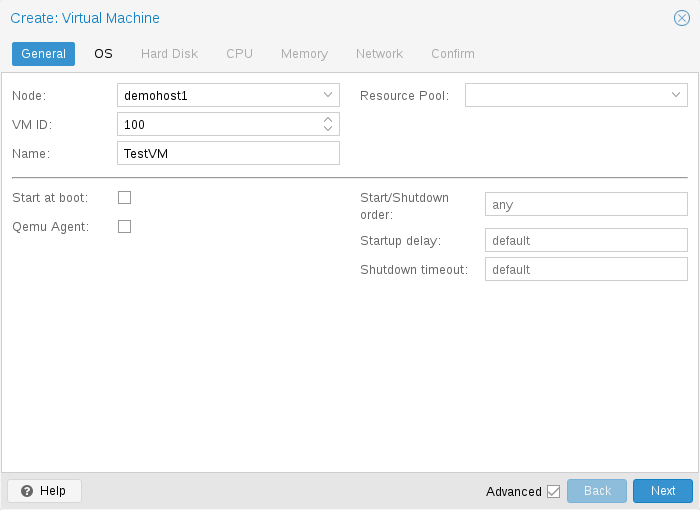
Official Proxmox screenshot showing the VM creation workflow in the web UI.
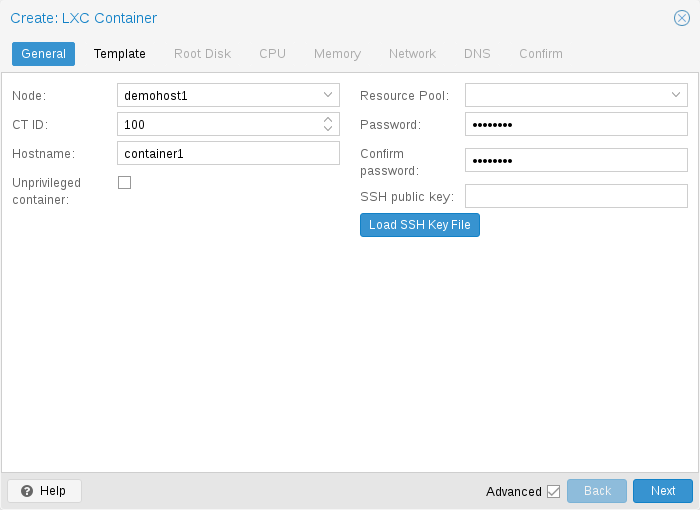
Official Proxmox screenshot showing the LXC creation workflow in the web UI.
Why this matters
- good workload placement makes the lab easier to maintain and troubleshoot
- VMs and LXCs offer different trade-offs for isolation, flexibility, and simplicity
- this is one of the core building blocks of the lab architecture
Environment / Scope
| Item | Value |
|---|---|
| Topic | workload placement in the lab |
| Best use for this note | understanding Proxmox-based lab structure |
| Main focus | host, VM, and LXC roles |
| Safe to practise? | yes |
Key concepts
- Proxmox host - the virtualization platform that runs the lab workloads
- VM - a fuller isolated machine with its own operating system
- LXC - a lighter Linux container suitable for some service workloads
- Workload placement - choosing where a service should live
Mental model
Think about the layout like this:
Proxmox host
-> VMs for fuller isolation or OS-specific needs
-> LXCs for lighter Linux service workloads
The right question is usually:
how much isolation, flexibility, and OS independence does this service really need?
Everyday examples
| Situation | Sensible placement |
|---|---|
| Windows lab system | VM |
| Linux service with simple requirements | LXC or VM depending on constraints |
| Security tooling that needs fuller separation | often VM |
| lightweight infrastructure helper | often LXC |
Common misunderstandings
| Misunderstanding | Better explanation |
|---|---|
| ”Everything should be a VM” | some services fit better in lighter containers |
| ”Everything should be an LXC because it is lighter” | some workloads need fuller isolation or OS flexibility |
| ”Placement only affects performance” | it also affects troubleshooting, backup, and maintenance |
| ”If it deploys once, placement was correct” | the real test is how maintainable it is over time |
Verification
| Check | Expected result |
|---|---|
| Workload role is clear | reason for VM or LXC choice is understandable |
| Isolation level is sensible | placement matches risk and need |
| Troubleshooting path is manageable | workload is not awkwardly placed |
| Lab architecture stays explainable | host and workload roles remain clean |
Pitfalls / Troubleshooting
| Problem | Likely cause | What to check |
|---|---|---|
| Service is hard to maintain | poor workload placement | why it is VM or LXC |
| Isolation feels weak | lightweight placement for a complex need | boundaries and workload type |
| Resource use is messy | no clear placement standards | current workload map |
| Lab notes are confusing | service role and placement not documented | architecture notes |
Key takeaways
- Proxmox provides the base, but VMs and LXCs serve different roles
- workload placement is part of architecture, not just convenience
- good placement improves maintenance, troubleshooting, and explanation