Routing and NAT
Summary
This note explains how traffic moves between networks and how NAT changes source or destination addressing. The goal is to understand what routing does, why a default gateway matters, and why NAT appears so often in home networks, labs, and cloud environments.
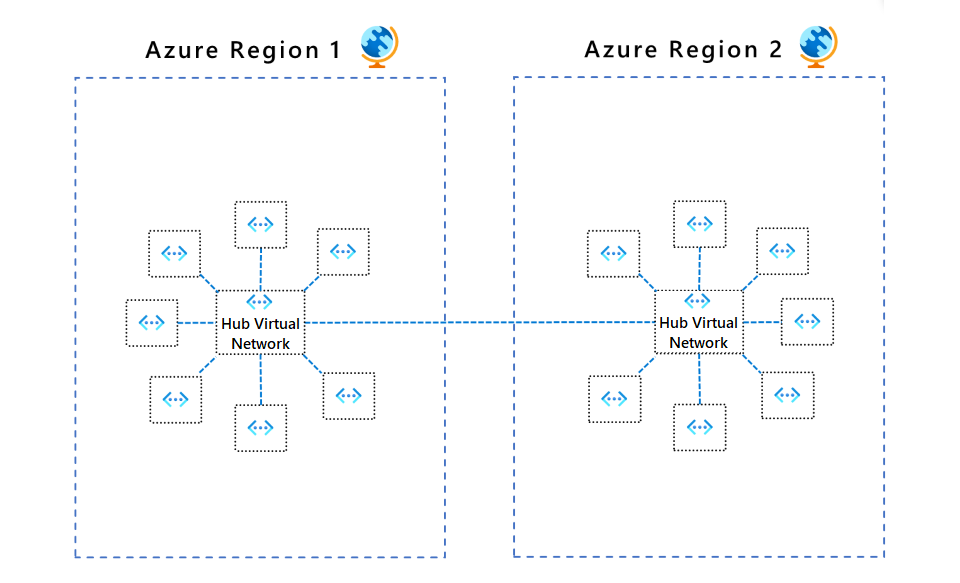
Official Microsoft Azure diagram showing traffic moving through a central routing point across connected network areas.
Why this matters
- once traffic leaves the local subnet, routing becomes part of the problem
- NAT is common in home, lab, and cloud setups, so it is important to recognise what it changes and what it does not
- many “internet access” issues are really routing or NAT issues rather than DNS problems
Environment / Scope
| Item | Value |
|---|---|
| Topic | routing and NAT basics |
| Best use for this note | understanding traffic beyond the local subnet |
| Main focus | routes, gateways, source translation |
| Safe to practise? | yes |
Key concepts
- Route - a rule that tells a host or router where traffic should go
- Default route - the route used when there is no more specific match
- Router - a device that moves traffic between networks
- NAT - network address translation, where source or destination addressing is rewritten
- Private address space - non-public address ranges typically used behind NAT
Mental model
Inside one subnet, hosts can usually talk directly.
Once traffic needs to leave that subnet, it goes to a router:
host -> default gateway -> router -> next networkNAT often appears at the boundary between private and public networks:
private host -> router performs NAT -> public-facing trafficThis means the outside world may not see the host’s original private address at all.
Everyday examples
| Scenario | What is happening |
|---|---|
| Laptop reaches the internet through home router | routing plus source NAT |
| VM reaches another subnet through lab firewall/router | routing |
| Container publishes a service to the host | translation or forwarding may be involved depending on the setup |
| Cloud private subnet reaches internet via gateway/NAT service | routing plus NAT |
Common misunderstandings
| Misunderstanding | Better explanation |
|---|---|
| ”The gateway is the internet” | the gateway is only the next hop towards other networks |
| ”NAT is the same as a firewall” | NAT changes addressing; it does not automatically mean strong filtering policy |
| ”If DNS works, routing must be fine” | name resolution and packet forwarding are separate problems |
| ”Private IPs can be routed on the public internet normally” | private ranges are normally meant for internal use and often rely on NAT to reach public services |
Verification
| Check | Expected result |
|---|---|
ip route | shows a sensible default route |
ping <gateway-ip> | gateway is reachable from the host |
traceroute <destination> | shows hops beyond the local subnet |
| External IP check | traffic reaches outside networks if routing and NAT are healthy |
Pitfalls / Troubleshooting
| Problem | Likely cause | What to check |
|---|---|---|
| Local network works but internet does not | missing or wrong default route | ip route, gateway reachability |
| Gateway responds but external traffic fails | upstream routing or NAT issue | traceroute, router config, upstream path |
| Service works internally but not externally | NAT/port forwarding or firewall issue | published ports, translation, filtering |
| Addressing looks correct but return traffic fails | asymmetric routing or missing reverse path | route tables on both sides |
Key takeaways
- routing is what moves traffic between networks
- the default gateway matters as soon as traffic leaves the local subnet
- NAT is common and useful, but it can also hide what is really happening to addresses